
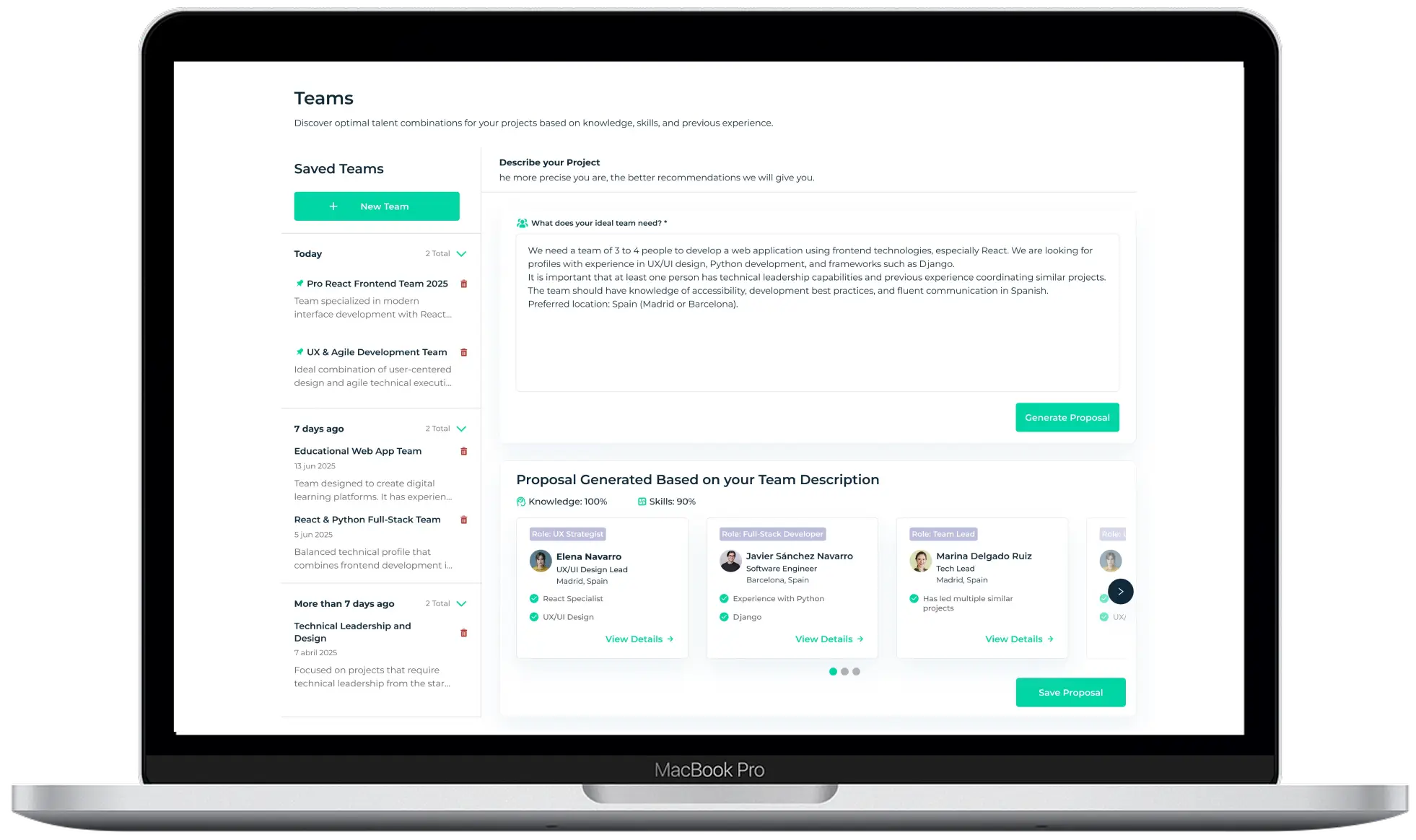
Transforming workforce planning through AI-powered team generation and talent insights.
ROLE
Lead Product Designer (redesign phase), led the end-to-end redesign of an AI-powered workforce planning platform
SKILLS
UX Analysis, Heuristic Evaluation, Interaction Design, Information Architecture, Workflow Redesign, UI Design
TIMELINE
April – July 2025 (v2 launch)
OVERVIEW
This SaaS platform was developed by Qaleon, an AI company that builds solutions to support organizations in their digital transformation.
The platform helps companies manage employee skills, generate project teams, and use AI insights to support internal talent development.
After the initial release, the product struggled to gain traction. Despite having powerful AI capabilities, several parts of the experience were difficult for users to understand and navigate.
I joined the project during the redesign phase to improve the usability of the platform and help make its AI features more accessible to enterprise users. The redesign focused on simplifying key workflows and improving the clarity of the system’s AI-driven functionality.
The platform helps companies manage employee skills, generate project teams, and use AI insights to support internal talent development.
After the initial release, the product struggled to gain traction. Despite having powerful AI capabilities, several parts of the experience were difficult for users to understand and navigate.
I joined the project during the redesign phase to improve the usability of the platform and help make its AI features more accessible to enterprise users. The redesign focused on simplifying key workflows and improving the clarity of the system’s AI-driven functionality.
The Challenge
The company primarily develops custom AI solutions for enterprise clients. In addition to these bespoke projects, had also created two internal SaaS products, one focused on talent development and another on sustainability. This case study focuses on the talent development platform.
Although the product had strong technical capabilities, the first version struggled to achieve adoption within organizations. Prior to the redesign, the company had gathered user feedback and internal insights about the platform’s usability challenges. These insights highlighted several recurring issues affecting the experience.
Key problems included:
Although the product had strong technical capabilities, the first version struggled to achieve adoption within organizations. Prior to the redesign, the company had gathered user feedback and internal insights about the platform’s usability challenges. These insights highlighted several recurring issues affecting the experience.
Key problems included:
- Subscription plans did not clearly communicate their value
- Registration flows required too many steps and form fields
- The team generation feature relied only on skill matching and lacked flexibility
- AI-generated insights appeared as a “black box,” reducing trust and engagement
The redesign aimed to improve three key outcomes:
- Reduce friction in critical workflows
- Increase interaction with AI-powered features
- Improve users’ understanding of AI-generated insights
Design Constraints
The redesign had to operate within several important constraints. The backend architecture and AI models were already implemented and could not be modified during this phase. This meant that usability improvements had to be achieved without changing the underlying system logic. At the same time, business stakeholders wanted to emphasize the platform’s AI capabilities by surfacing more data and insights. However, increasing the amount of information risked making the interface more complex.
They key design challenge was therefore finding the right balance between technical transparency and interface simplicity.
Understanding the Existing Experience
Before starting the redesign, I analyzed the existing product experience to understand where users were encountering friction.
Using insights from previous research and stakeholder feedback, I conducted a heuristic evaluation of the platform and mapped the main user flows to identify usability issues and structural problems.
I focused on three key areas of the product:
Using insights from previous research and stakeholder feedback, I conducted a heuristic evaluation of the platform and mapped the main user flows to identify usability issues and structural problems.
I focused on three key areas of the product:
- User onboarding and registration
- The team proposal feature, evolving it from a skill-matching system into a generative AI–assisted workflow
- Interaction with AI-generated insights
This analysis revealed that while the platform offered powerful capabilities, several workflows required unnecessary steps, and many AI-generated outputs lacked enough context for users to understand their relevance.
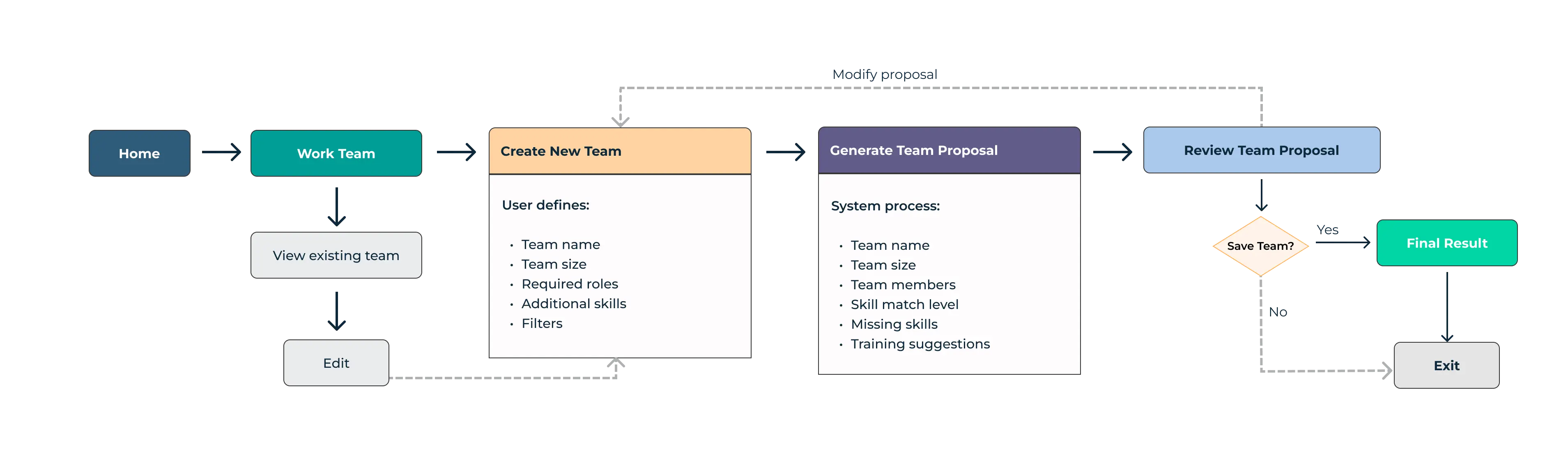
Original workflow for team generation showing a complex process with multiple steps and decision points
Redesign Strategy
The redesign focused on improving the experience without introducing new technical complexity. Three design principles guided the work:
1. Reduce Friction in Key Flows
Critical workflows such as onboarding and team generation were simplified to reduce unnecessary steps and cognitive load.
2. Clarify Complex Information
Dashboards and interface structures were reorganized to improve hierarchy, readability, and navigation.
3. Increase Transparency in AI Features
AI-powered recommendations and insights were redesigned to include contextual explanations that help users understand how suggestions are generated.
1. Reduce Friction in Key Flows
Critical workflows such as onboarding and team generation were simplified to reduce unnecessary steps and cognitive load.
2. Clarify Complex Information
Dashboards and interface structures were reorganized to improve hierarchy, readability, and navigation.
3. Increase Transparency in AI Features
AI-powered recommendations and insights were redesigned to include contextual explanations that help users understand how suggestions are generated.
Key Design Decisions
Several design decisions guided the redesign.
1. Progressive Disclosure for Complex Workflows
Instead of exposing all configuration options at once, the interface reveals information step by step to reduce cognitive load.
2. Combining AI Suggestions with Visible Data
To avoid the perception of a “black box,” AI-generated outputs are always paired with supporting information such as skills and contextual criteria.
3. Guided Workflows Instead of Fragmented Screens
Several tasks that previously required navigating across multiple screens were consolidated into structured flows to reduce repetitive actions.
1. Progressive Disclosure for Complex Workflows
Instead of exposing all configuration options at once, the interface reveals information step by step to reduce cognitive load.
2. Combining AI Suggestions with Visible Data
To avoid the perception of a “black box,” AI-generated outputs are always paired with supporting information such as skills and contextual criteria.
3. Guided Workflows Instead of Fragmented Screens
Several tasks that previously required navigating across multiple screens were consolidated into structured flows to reduce repetitive actions.
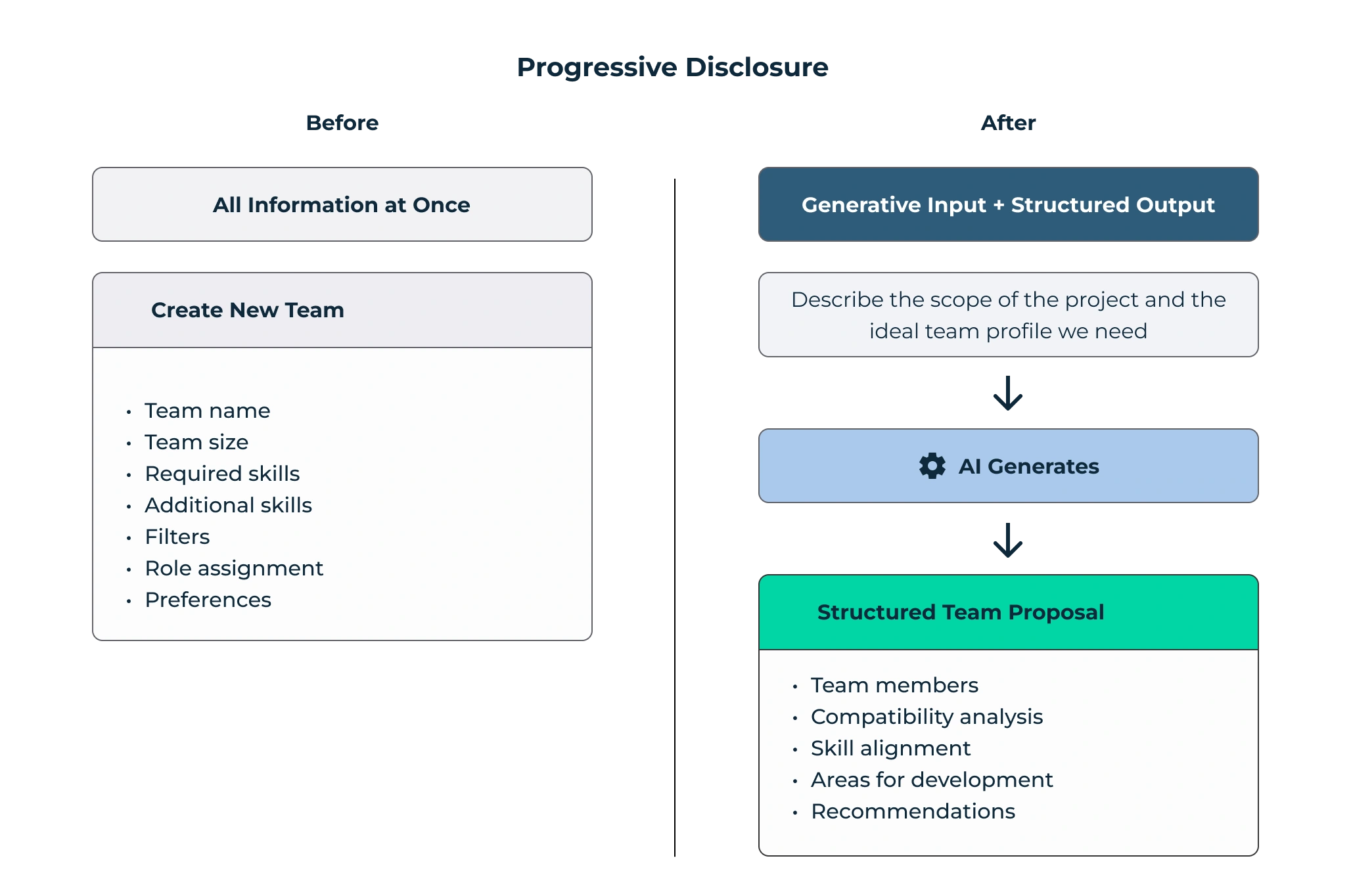
Complex configurations are replaced by a single input, while the system structures and reveals results progressively, reducing cognitive load
Key Improvements
1. Simplifying Registration
Problem
The original registration process required multiple steps and a large number of form fields before users could access the platform.
This created friction during onboarding and delayed the user's first interaction with the product.
The original registration process required multiple steps and a large number of form fields before users could access the platform.
This created friction during onboarding and delayed the user's first interaction with the product.
Design Solution
The registration flow was redesigned to reduce cognitive load and guide users through a clearer onboarding process.
The main changes were:
- Reducing the number of required form fields
- Grouping related information into structured steps
- Improving form hierarchy and visual clarity
Result
The new onboarding flow allows users to complete registration faster and access the platform more quickly.
The new onboarding flow allows users to complete registration faster and access the platform more quickly.
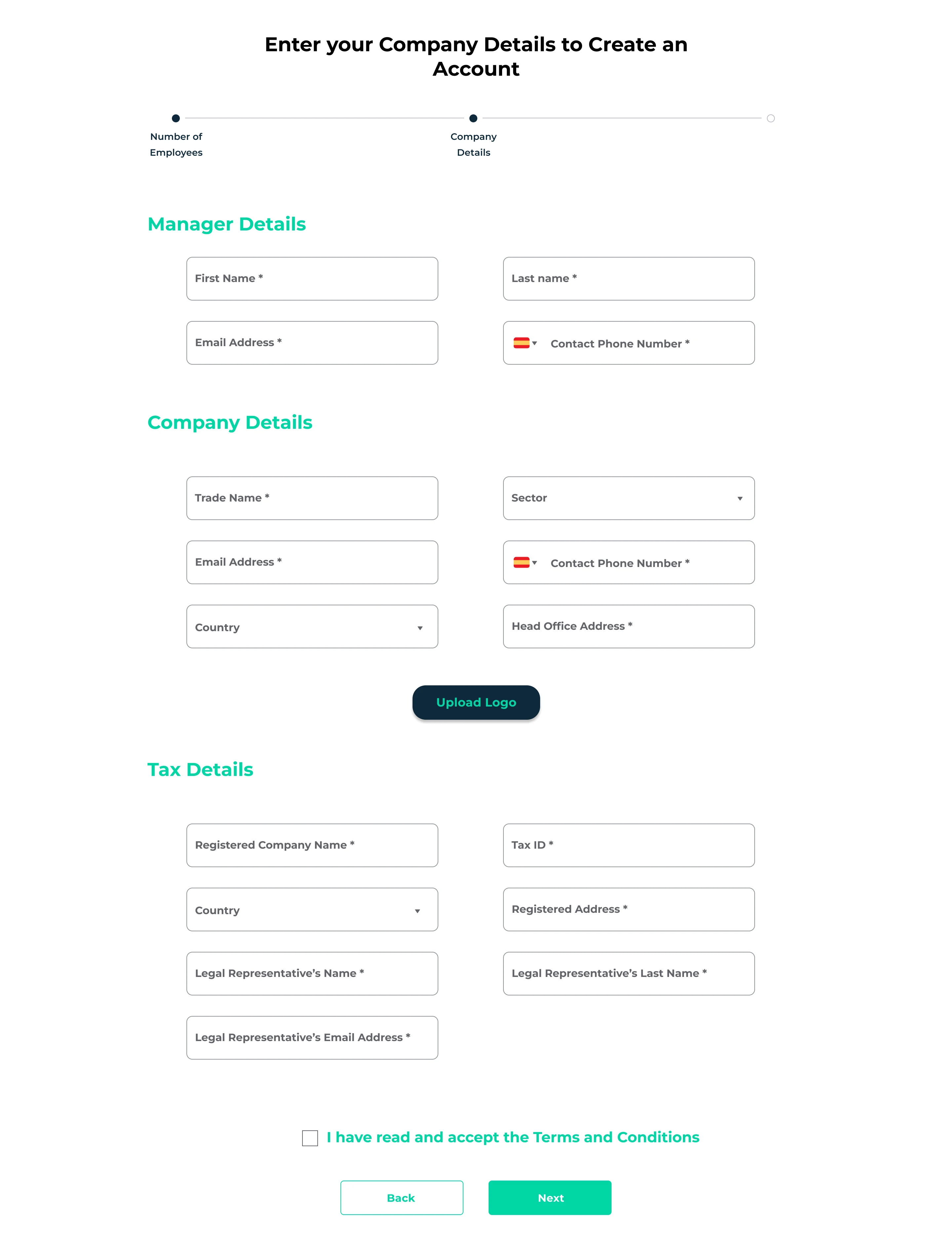
Previous registration flow with multiple required fields, creating friction during onboarding
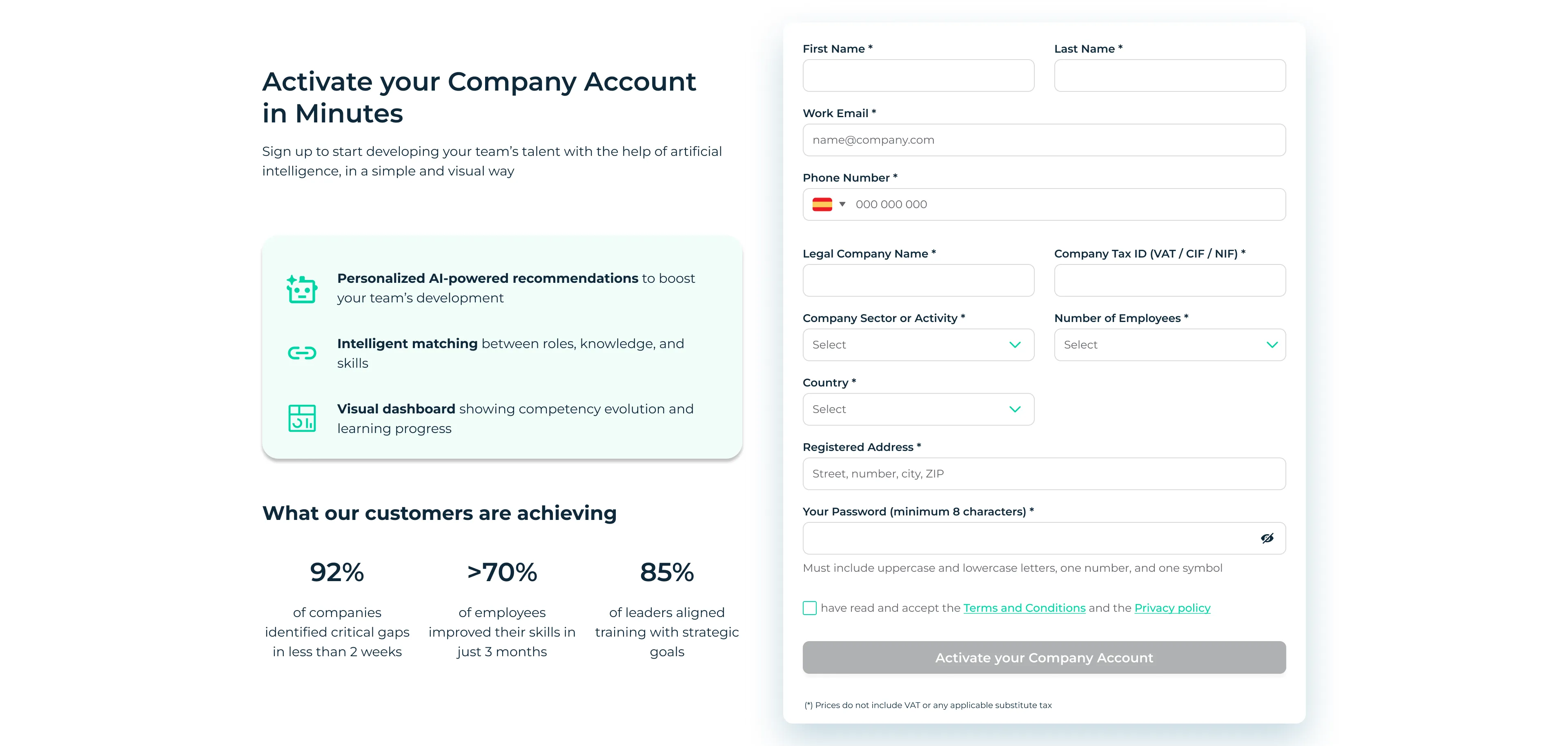
Simplified registration flow with fewer fields and clearer structure, reducing friction and improving onboarding
2. Improving Team Generation with Generative AI
Problem
In the initial version of the platform, team proposals were generated exclusively through skill matching. While this approach identified employees with relevant skills, it often produced rigid results and required users to manually refine team compositions.
In the initial version of the platform, team proposals were generated exclusively through skill matching. While this approach identified employees with relevant skills, it often produced rigid results and required users to manually refine team compositions.
Design Solution
The redesign evolved the feature into a generative AI–assisted workflow that combines skill matching with AI-generated team proposals. The goal was to help users generate team suggestions faster while maintaining visibility into how those teams were assembled.
Key improvements included:
- Introducing AI-generated team proposals based on project context
- Combining skill matching with generative AI suggestions
- Presenting supporting information about the skills and criteria used
This reduced the need for manual configuration and enabled users to generate team proposals more efficiently based on project context.
Result
The new workflow allows users to create and manage training plans more efficiently with fewer steps.
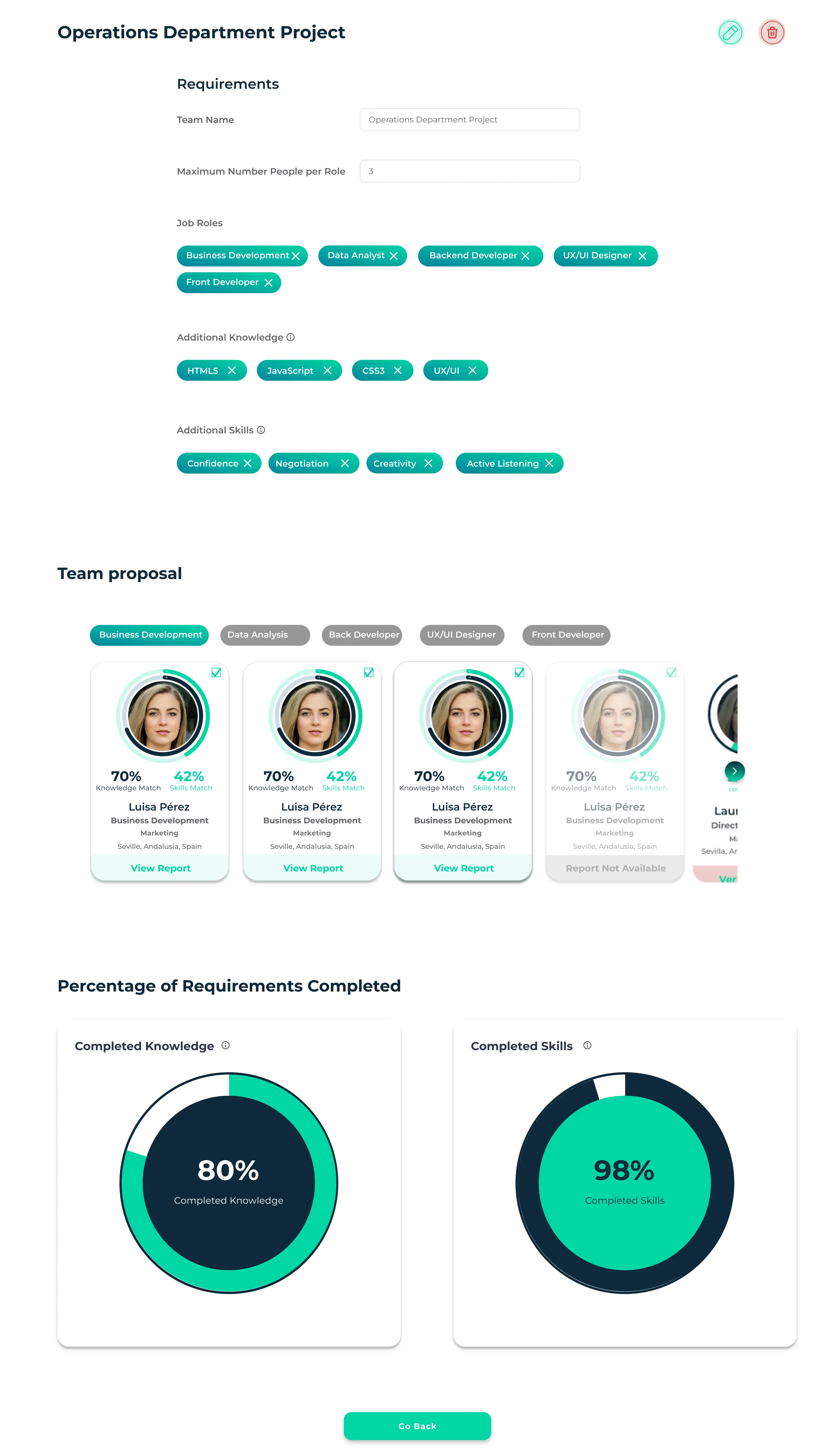
Previous team generation based on skill matching, requiring manual adjustments and offering limited flexibility
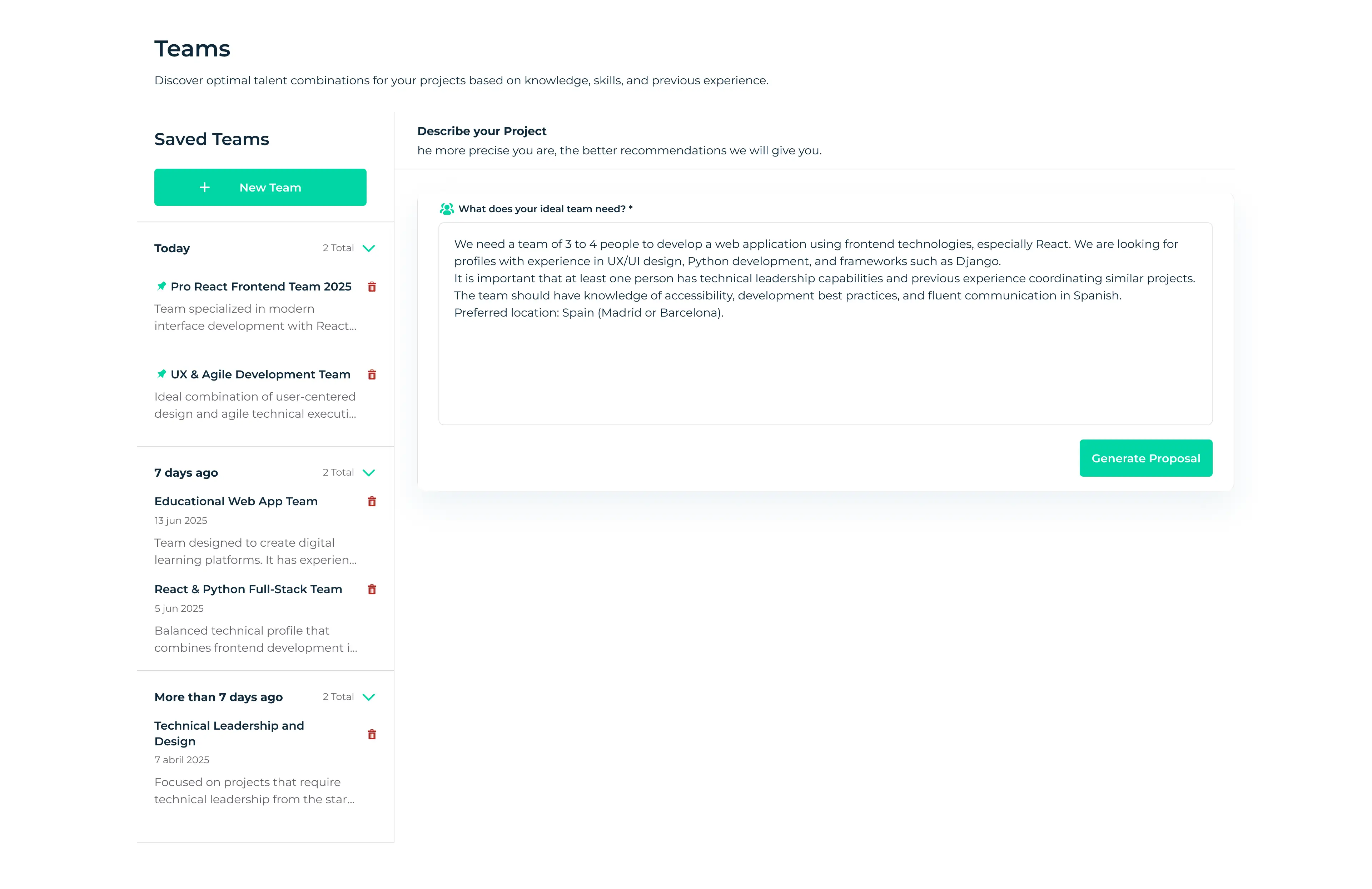
Users define team requirements using natural language, enabling more flexible and context-driven team generation
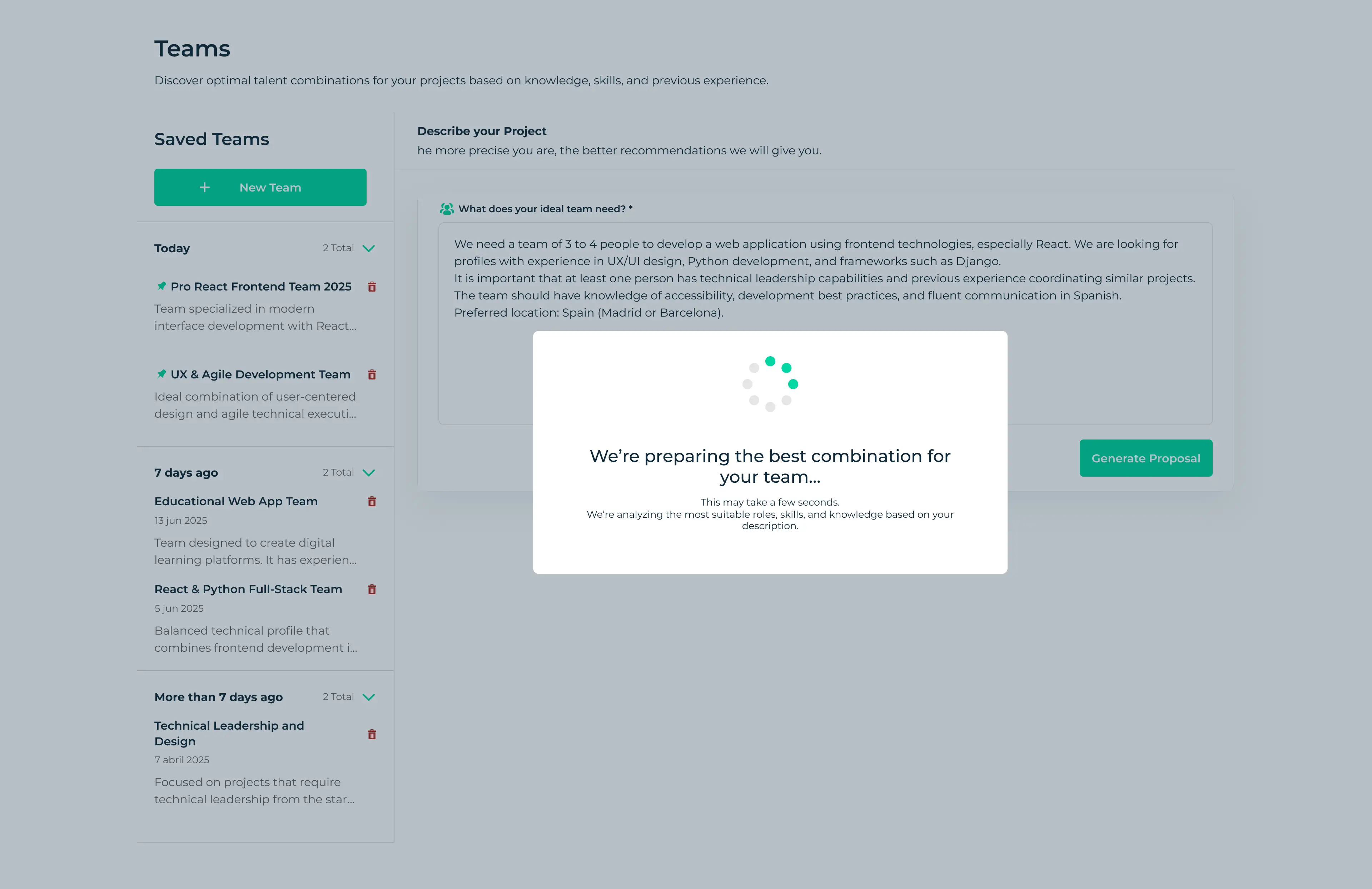
The system processes the input and generates team proposals based on project context and skill requirements
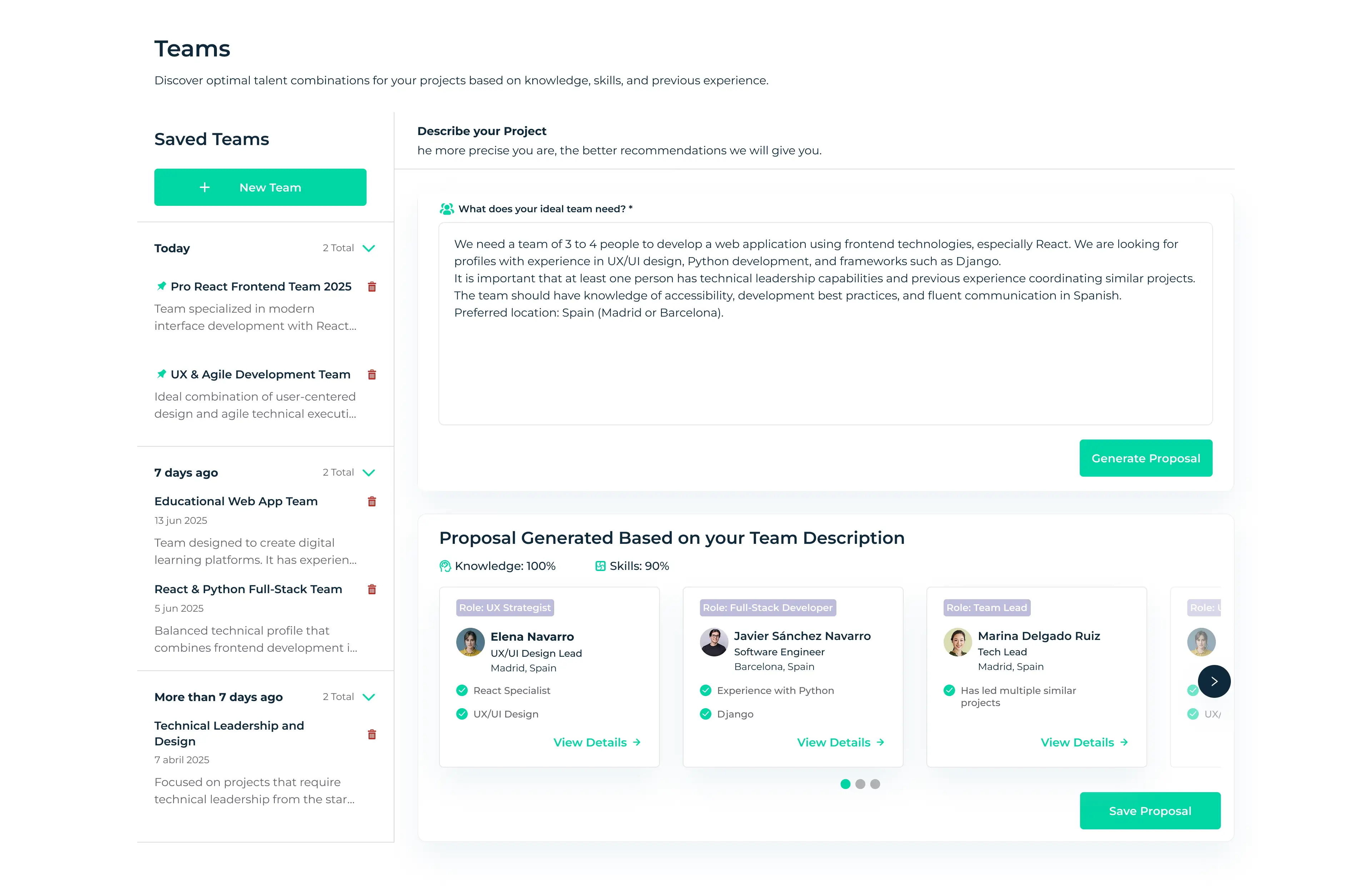
AI-generated team proposal with compatibility indicators and supporting data to improve understanding and trust
3. Making AI Recommendations Transparent
Problem
One of the main issues in the original experience was that AI recommendations were perceived as a black box. Insights were presented without clear explanations of how they were generated or why they mattered, making them difficult to trust and act on. As a result, users rarely engaged with these features.
One of the main issues in the original experience was that AI recommendations were perceived as a black box. Insights were presented without clear explanations of how they were generated or why they mattered, making them difficult to trust and act on. As a result, users rarely engaged with these features.
Design Solution
The redesign focused on making AI outputs more understandable by exposing the reasoning behind each recommendation.
To support this, the redesign introduced:
- Adding contextual explanations to AI-generated recommendations
- Improving labeling and visual hierarchy
- Highlighting supporting data behind each recommendation
Result
These changes help users better understand and trust the platform’s AI-powered insights.
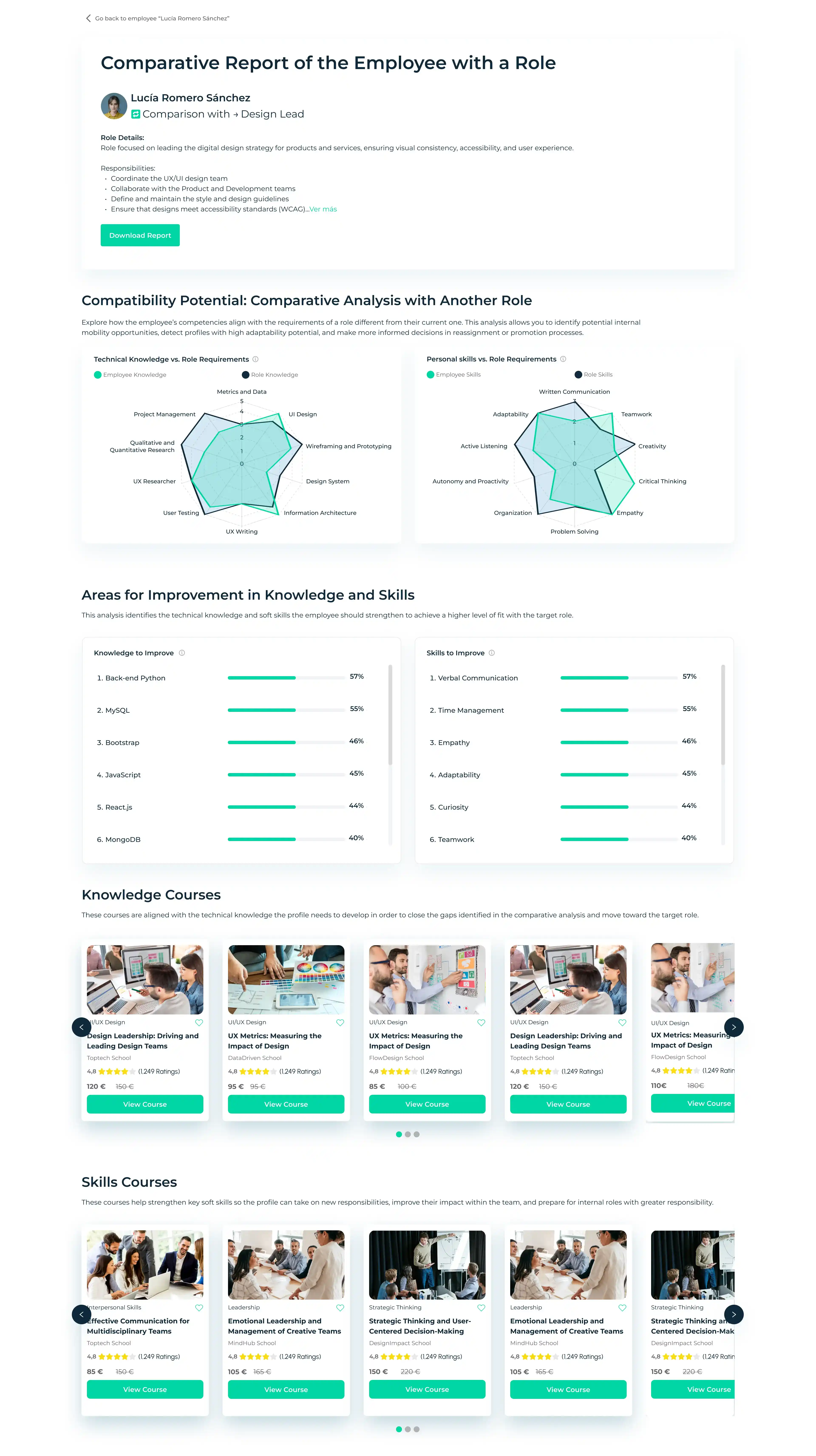
Comparative analysis provides transparency by showing how employee skills align with role requirements and where gaps exist
The Outcome
The redesign addressed key usability issues that had limited the platform’s adoption after its initial release.
By simplifying core workflows and reducing unnecessary steps, users were able to complete key tasks more efficiently and with less cognitive effort.At the same time, improving the transparency of AI-generated insights helped users better understand how recommendations were generated, increasing trust and engagement with the platform’s core features.
Overall, the product evolved from a technically powerful but complex system into a more accessible and user-centered experience, aligned with the needs of enterprise teams managing talent development.
By simplifying core workflows and reducing unnecessary steps, users were able to complete key tasks more efficiently and with less cognitive effort.At the same time, improving the transparency of AI-generated insights helped users better understand how recommendations were generated, increasing trust and engagement with the platform’s core features.
Overall, the product evolved from a technically powerful but complex system into a more accessible and user-centered experience, aligned with the needs of enterprise teams managing talent development.
Impact & Learnings
This project reinforced several important lessons about designing enterprise AI products.
1. Usability Drives Adoption
Even when technology is powerful, complex workflows and unclear interfaces can prevent users from engaging with the product.
1. Usability Drives Adoption
Even when technology is powerful, complex workflows and unclear interfaces can prevent users from engaging with the product.
2. Simplifying Core Flows Creares the Biggest Impact
Improving journeys such as onboarding and team generation can significantly improve the overall product experience.
2. Simplifying Core Flows Creares the Biggest Impact
Improving journeys such as onboarding and team generation can significantly improve the overall product experience.
3. AI Requires Context
AI-driven features require clear explanations and contextual information to build user trust and drive engagement.
3. AI Requires Context
AI-driven features require clear explanations and contextual information to build user trust and drive engagement.
Future Opportunities
The redesign focused on improving usability within the constraints of the existing system. However, several opportunities remain for future iterations:
- Allowing users to refine AI-generated team proposals through adjustable parameters
- Personalizing team recommendations based on organizational context
- Introducing feedback loops so users can evaluate and improve AI suggestions over time
More Projects
A collection of projects showcasing my approach to solving complex UX challenges across different industries.
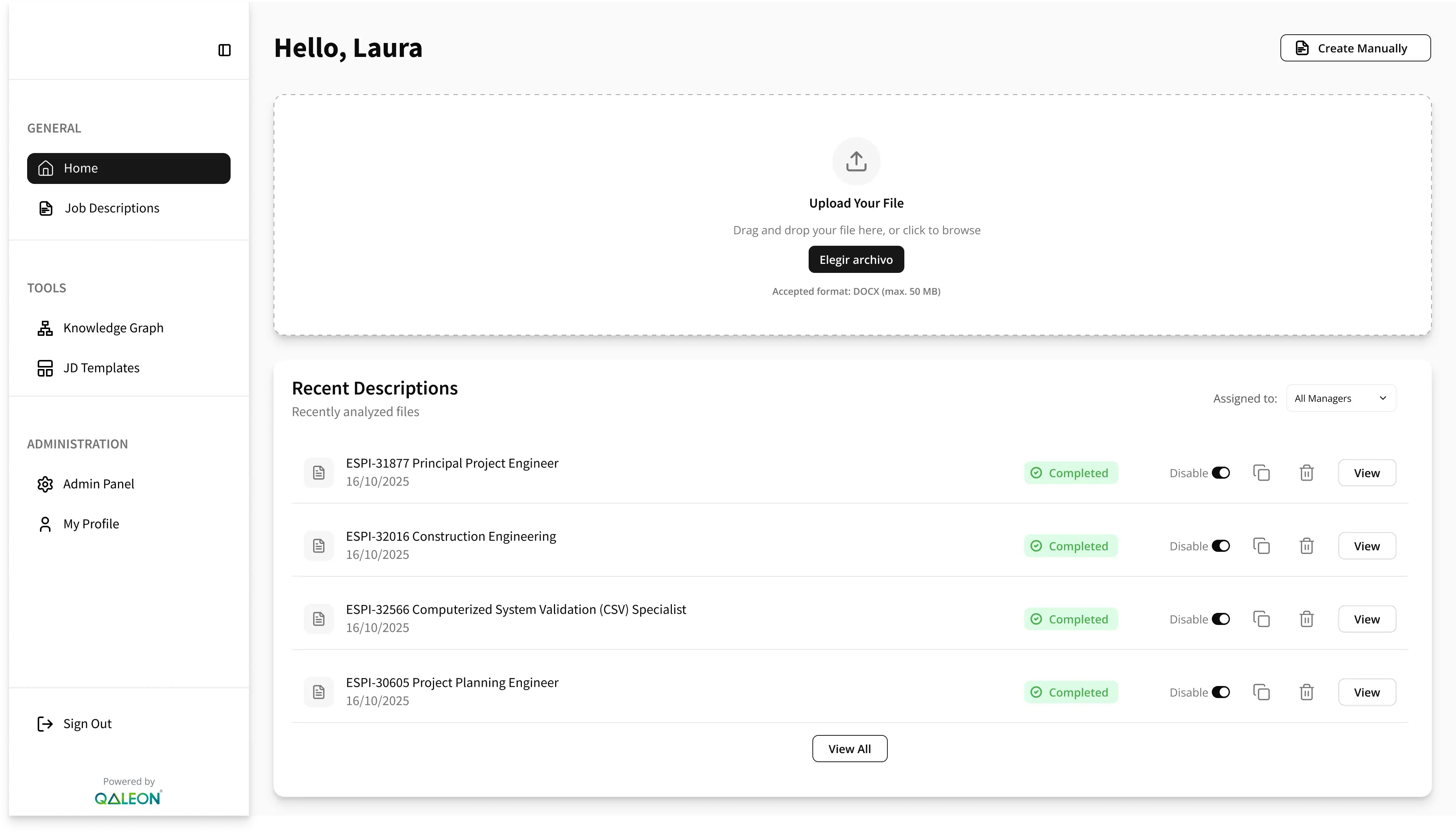
PharmaDocs
Simplifying compliant document management for HR teams in the pharmaceutical industry.
Documents
Workflows
Permissions
Document workflow design
View Case Study
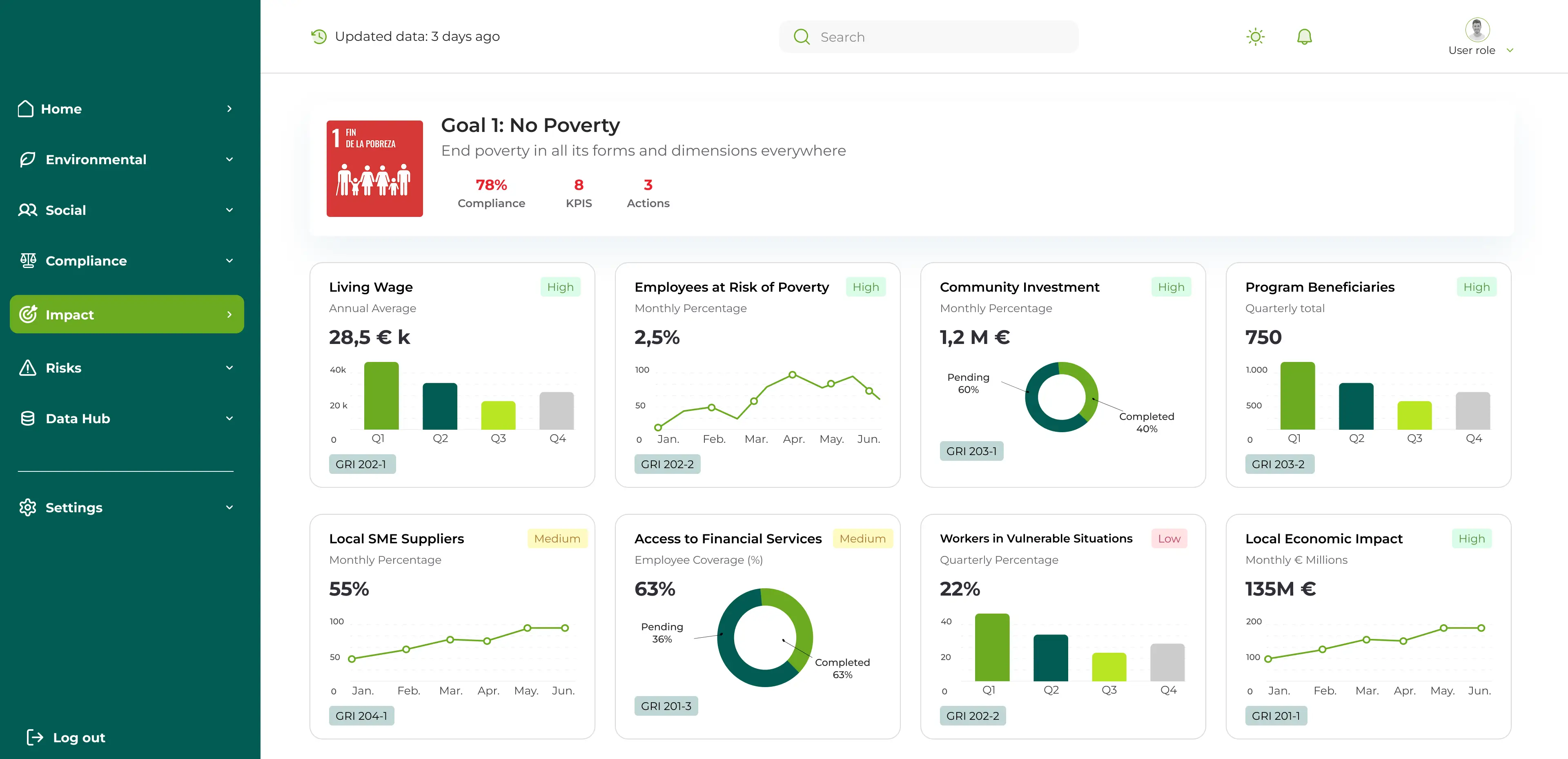
ESG Data Hub
Improving trust and transparency in ESG data collection and validation.
Data Visualization
B2B SaaS
ESG
MVP strategy & design
View Case Study